
To enable the integration in POST to publish episodes to ART19, follow the steps outlined below.
First, you will need to obtain the following information from your ART19 account:
Token: An ART19 user with API permissions can generate a token by navigating to Settings > API. For assistance with this step, please contact ART19 Support.
Series ID: Create or identify a series to which POST will publish episodes. Open that series in ART19 and note the string of alphanumeric characters in the URL. This is your ART19 series ID.
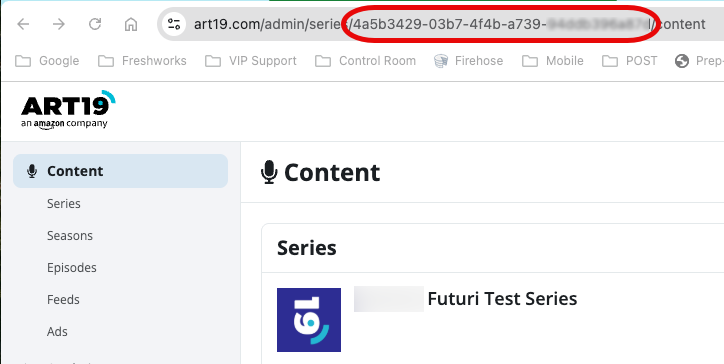
Credentials (GUID): Navigate to the Episodes tab and open an individual episode. Note the alphanumeric string after /episodes/ in the URL. This is your ART19 GUID.
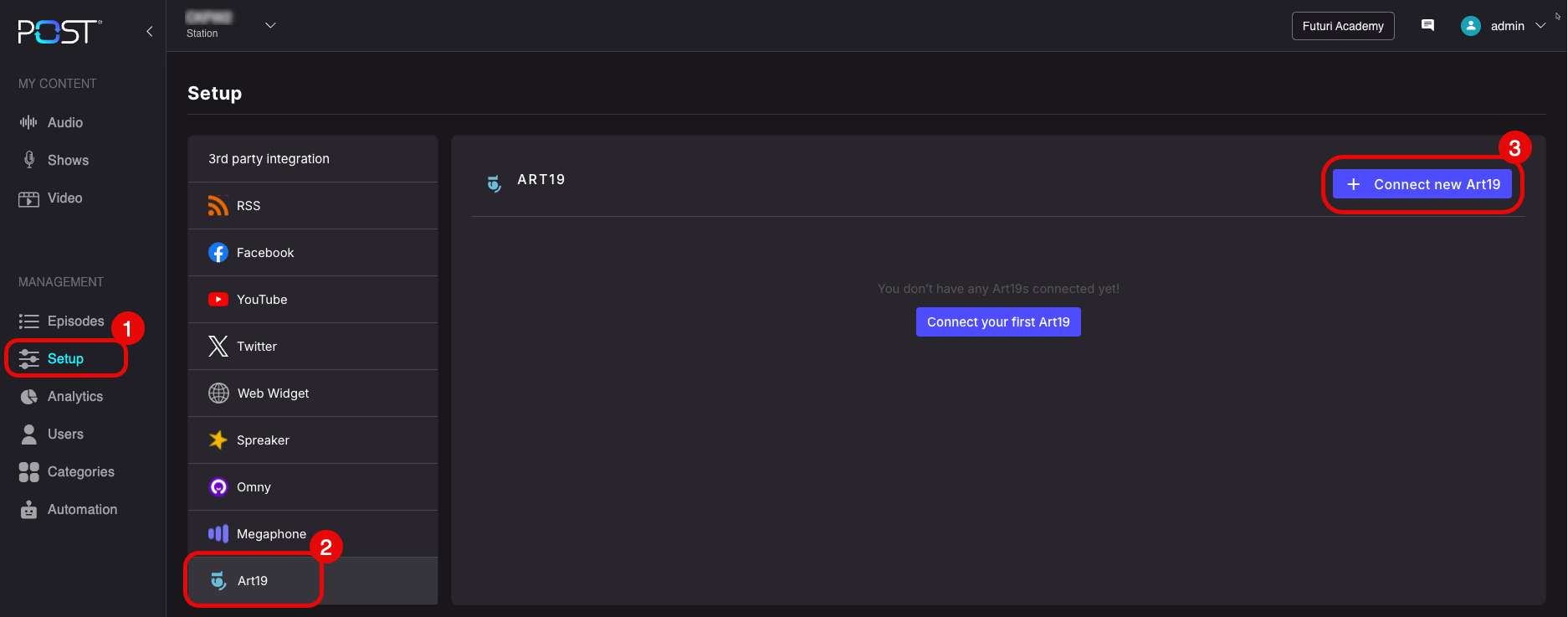
Next, navigate to the ART19 integration Setup in your POST account and click the button to create a new connection.
Title your connection and then enter the details you gathered from your ART19 account.
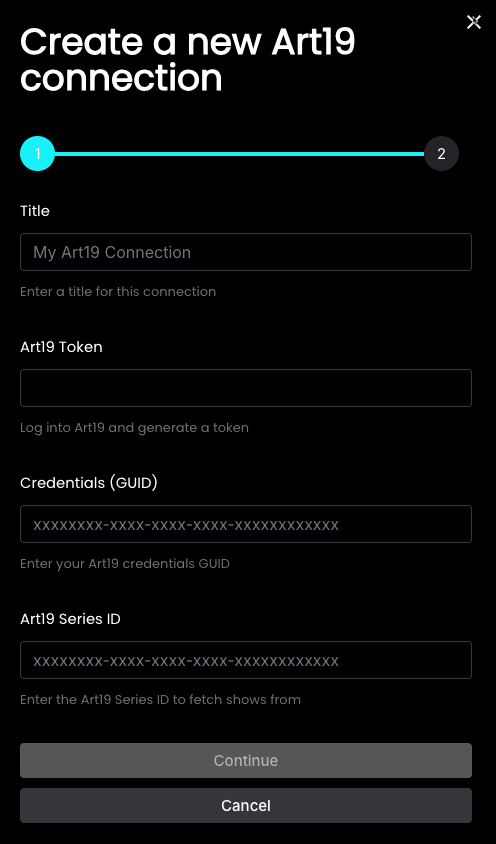
Click Continue, then, if desired, set it as a default publishing destination. Click Save.